A great forecast explains and strengthens your business plan
The golden rule here? Just fill in the yellow fields. The model does the heavy lifting for you. Let's walk through this roadmap, from your initial idea straight to securing that final investment.
Click the button to download an Excel template and start modelling your budget numbers. For step-by-step details, read more below.
Forecast explainer step-by step:
Follow The forecast workbook in order and you'll build a complete financial picture of your startup — from daily costs to investor-ready numbers.
We recommend clicking the button to download a PDF of the Business Forecast to your PC. This makes it easier to follow the steps below.
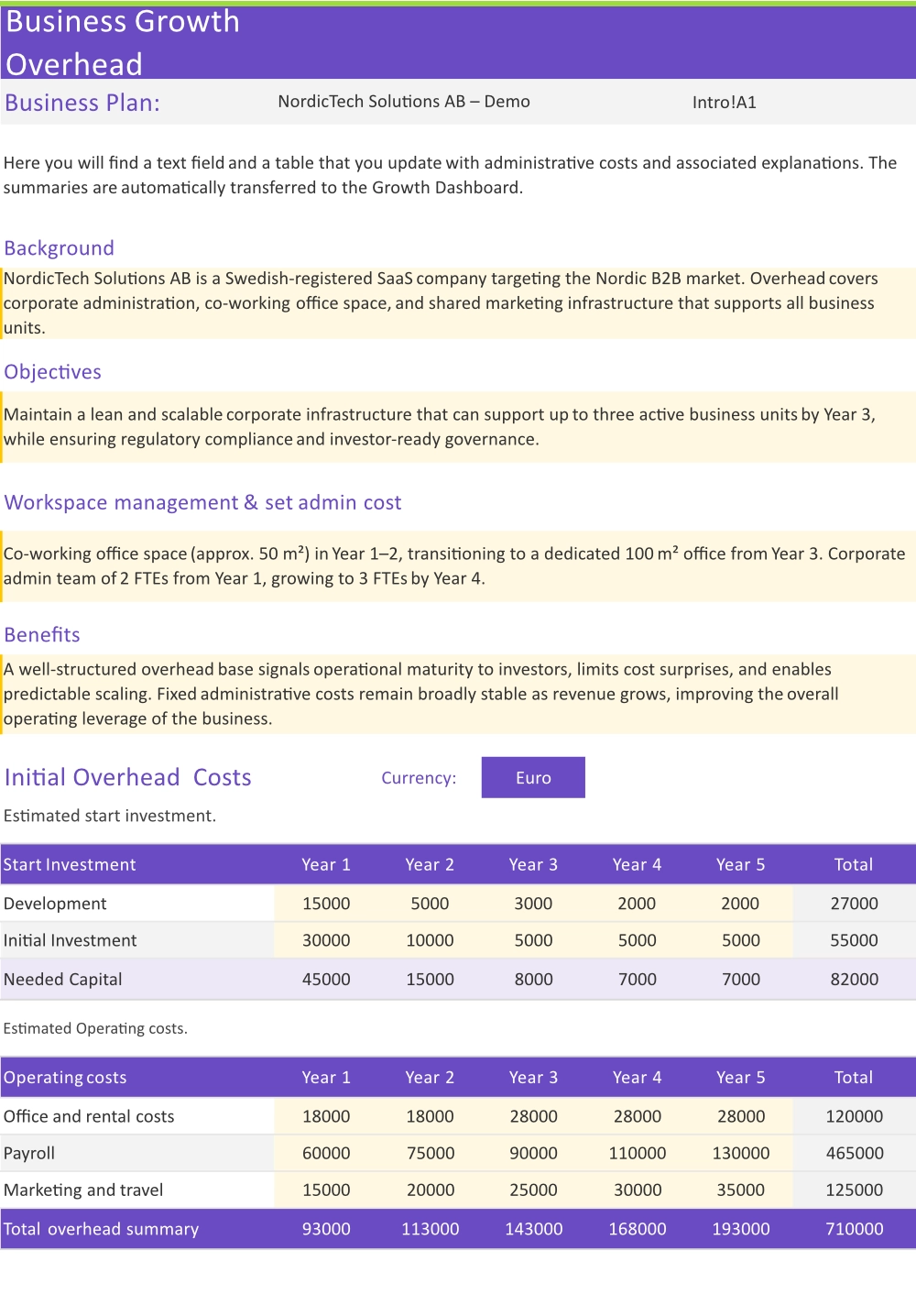
OVERHEAD
This is the first sheet you open and the most important one to get right. Overhead captures all the fixed and recurring costs that keep your company running — the bills you pay whether you sell anything or not.
What to enter:
Why it matters:
Every other sheet in the workbook reads from this one. Get your overhead numbers in first — even rough estimates are better than empty cells. You can refine them at any time.
Tip: Work through your last three months of bank statements. They'll surface costs you've forgotten to include.
BUSINESS GROUP 1 - Add your first revenue stream
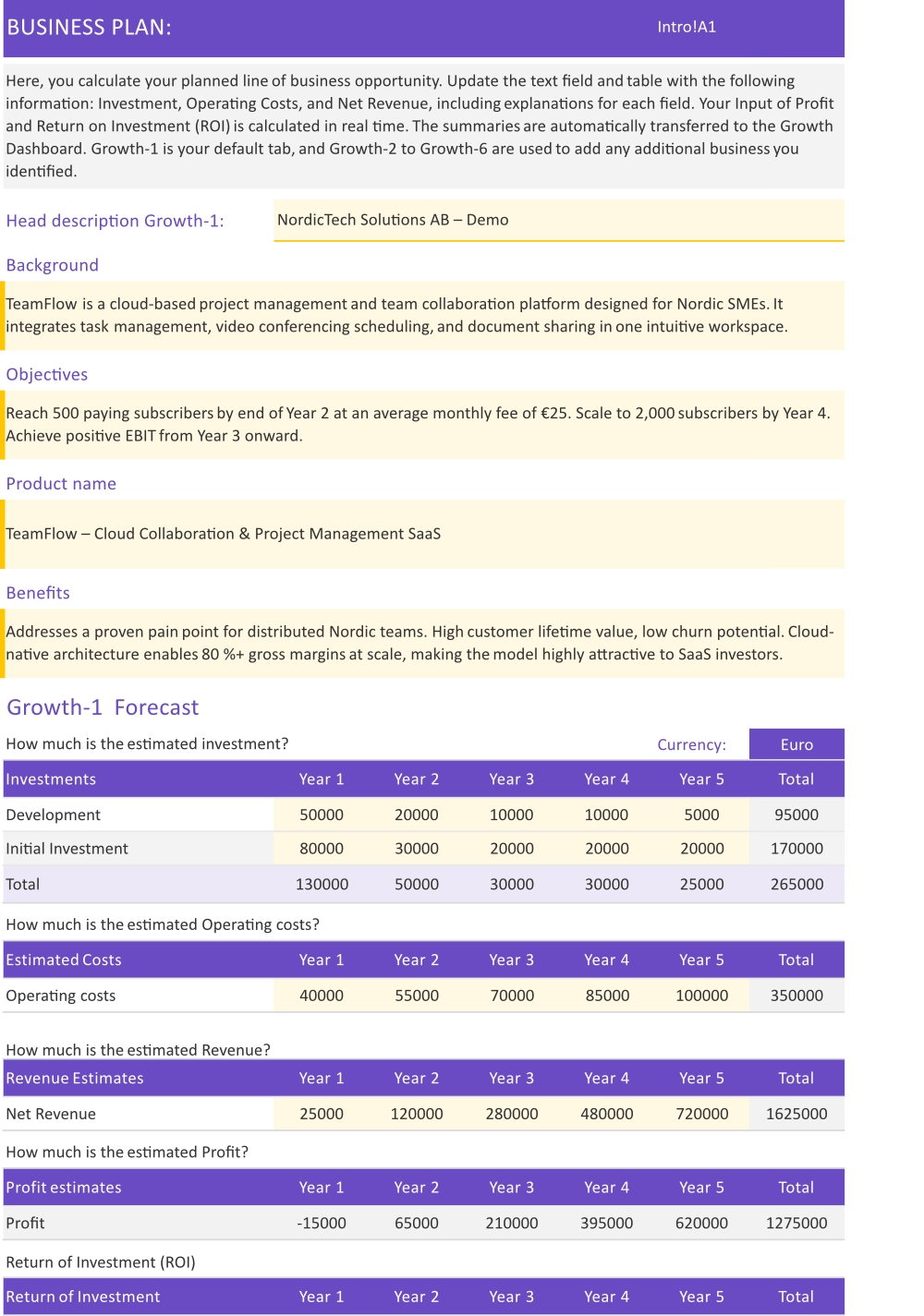
BG stands for Business Group — each BG sheet is one distinct product, service, or revenue line. BG1 is where you describe the most important thing you sell.
What to enter:
Why it matters:
This is the engine of your forecast. The numbers here drive your revenue, gross margin, and profitability across the entire model.
Tip: Be honest with your volume estimates. Investors spot optimistic hockey-stick assumptions immediately. A conservative but credible forecast is worth more than an ambitious one you can't defend.
BUSINESS GROUP 2 - Add a second revenue stream (if you have one)
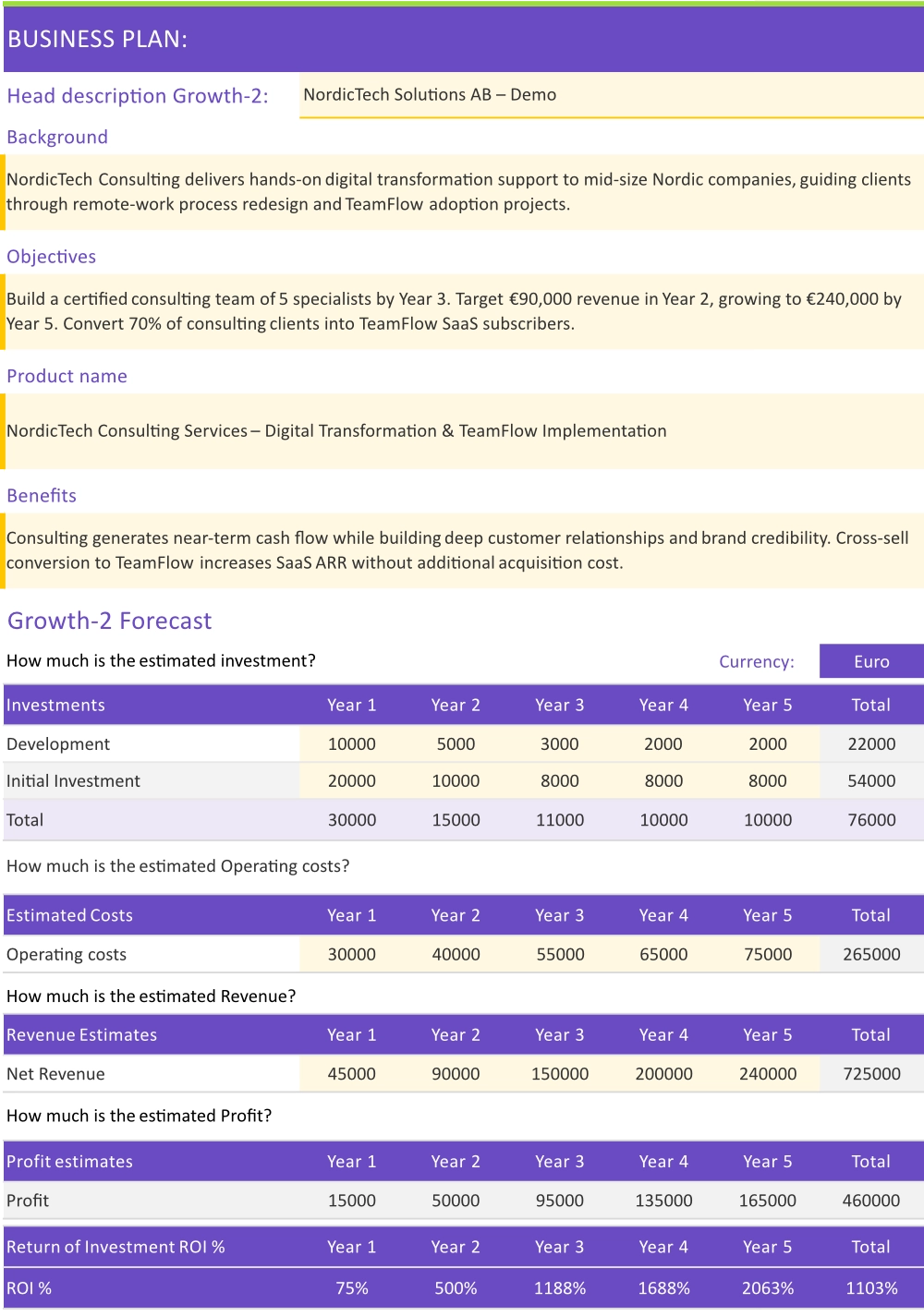
Use BG2 for a second distinct product, service tier, or customer segment. The layout is identical to BG1 — same inputs, same logic.
Examples of what goes in BG2:
What to enter:
Same as BG1: name, price, volume, COGS, and growth rate.
Tip: Leave this sheet blank if you only have one revenue stream. The model handles it — nothing will break.
BUSINESS GROUP 3 to 6 - Up to six revenue streams in total
BG3 through BG6 follow the exact same structure as BG1 and BG2. Activate as many as your business needs — up to six separate revenue lines in total.
When to use more than two BG sheets:
What to enter:
Same as BG1 and 2: name, price, volume, COGS, and growth rate.
Tip: Most early-stage startups only use BG1 and BG2. Keep it simple until your model reflects reality — you can always add more sheets later.
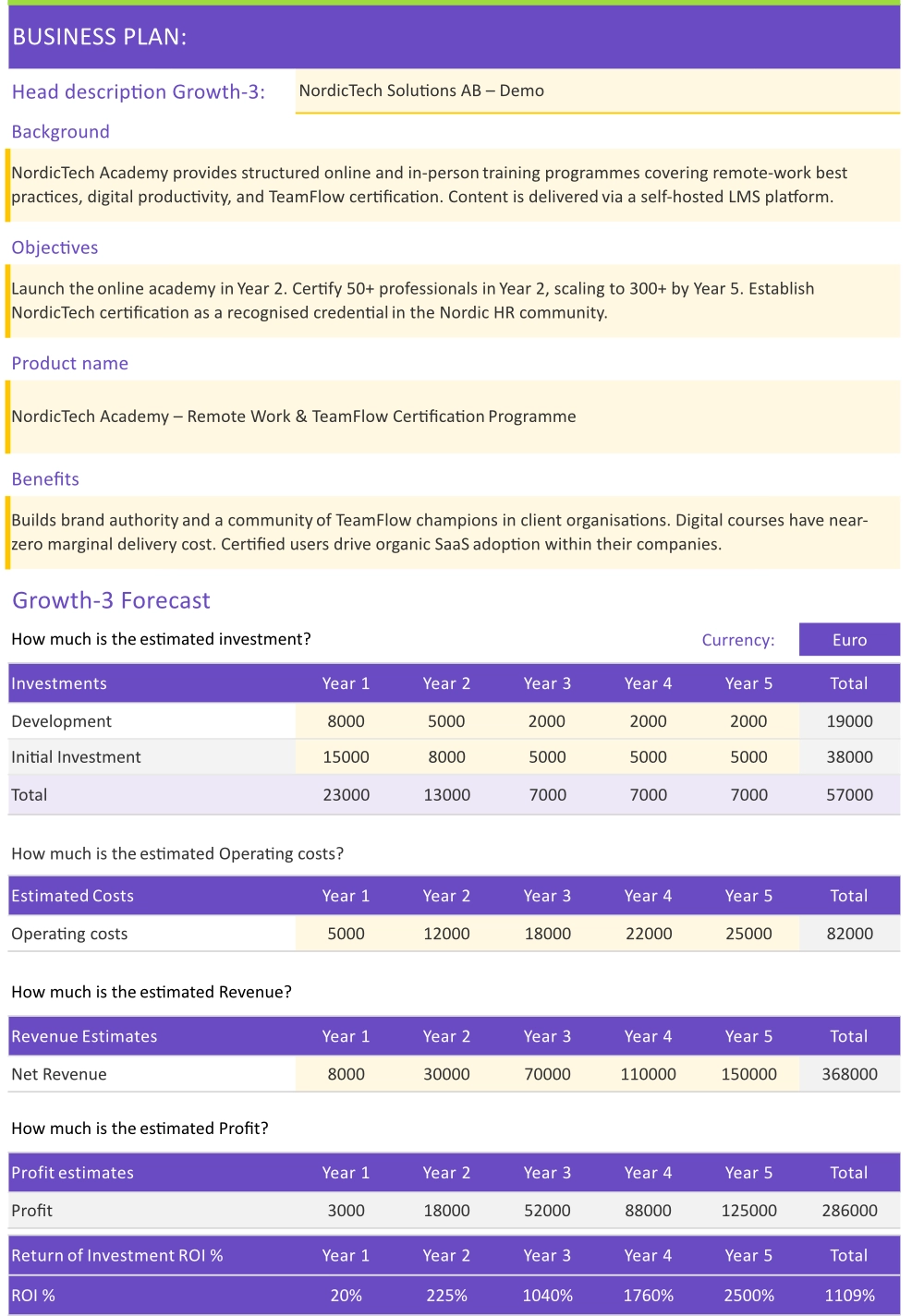
DASHBOARD - Your consolidated profit & loss
The Dashboard is your summary view. It pulls together every revenue stream from your BG sheets, subtracts overhead, and shows your bottom line — month by month, year by year.
What you'll see:
What to enter:
You don't need to enter anything here. All numbers are calculated from the sheets you've already completed.
Tip: If something looks wrong on the Dashboard, go back to Overhead or the relevant BG sheet to find the source. Don't edit Dashboard cells directly — your changes will be overwritten by the formulas.
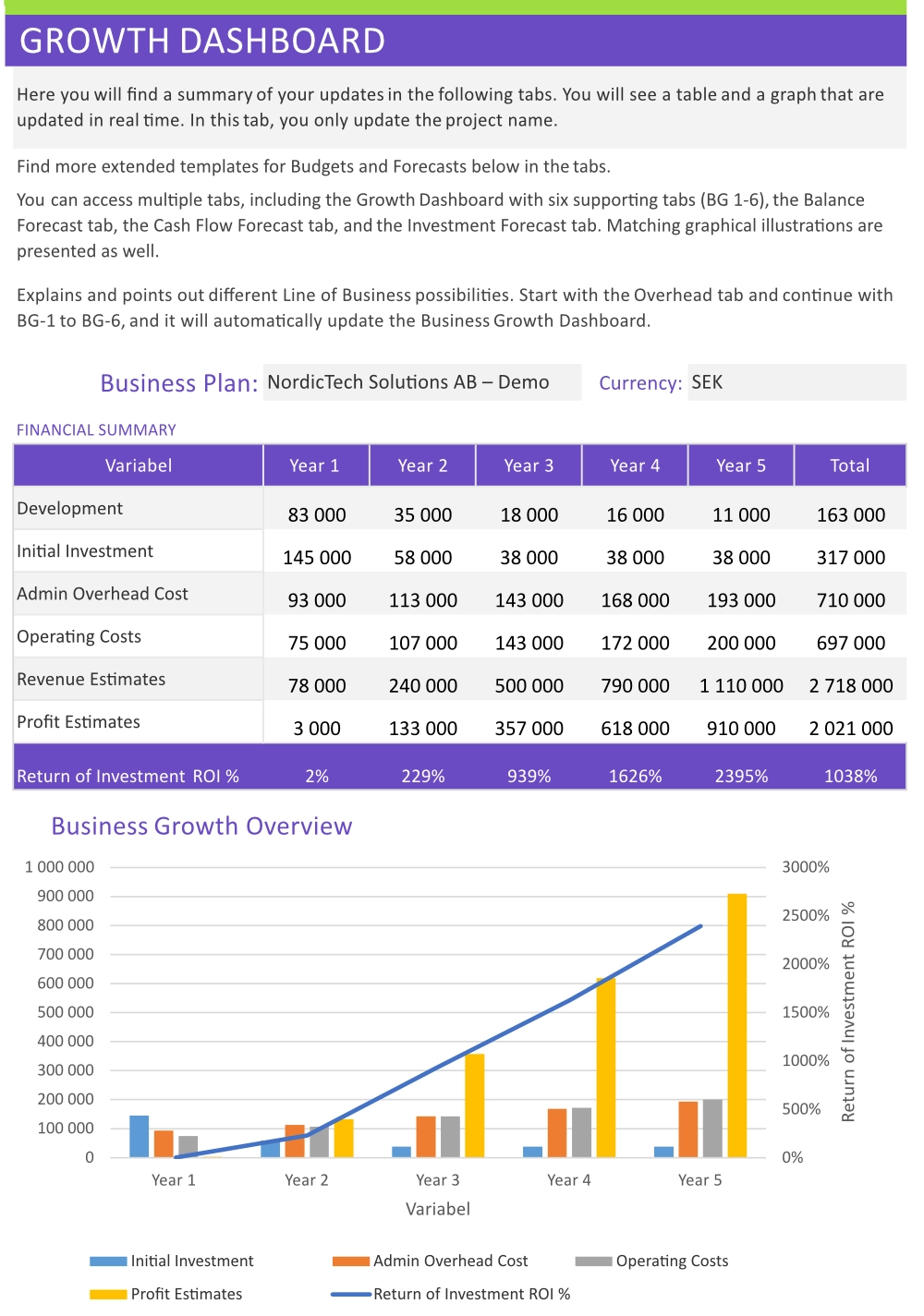
BALANCE SHEET - A snapshot of your financial position
The Balance Sheet shows what your company owns (assets), what it owes (liabilities), and what's left over for the owners (equity) — at any given point in time.
The key rule:
Assets always equal Liabilities + Equity. If these don't balance, check your inputs in the earlier sheets.
What investors look at here:
What to enter:
You may need to enter opening figures (starting cash, initial equipment, any existing loans) but the rest calculates automatically.
Tip: Don't let the balance sheet intimidate you. Focus on the closing equity line — it tells the story of whether your business is building or destroying value over time.
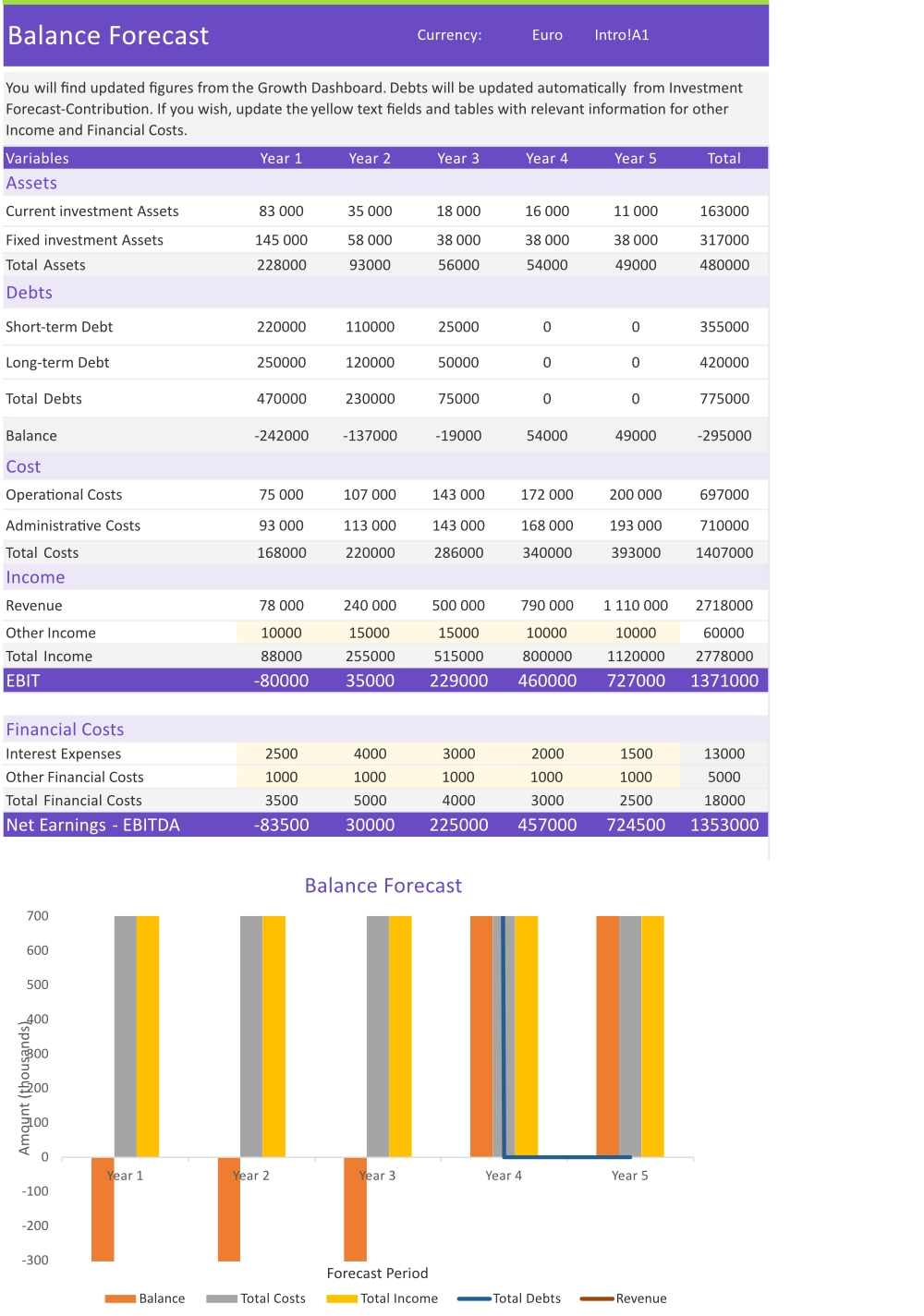
CASH FLOW - When money actually moves
The Cash Flow sheet is the one that keeps startups alive. A business can be profitable on paper and still run out of cash — this sheet shows you exactly when money comes in and when it goes out.
The key rule:
Assets always equal Liabilities + Equity. If these don't balance, check your inputs in the earlier sheets.
Three sections:
The number to watch:
Closing cash balance each month. It must never go negative.
Tip: If you see a negative closing balance in any month, you have two options — bring in more investment, or find a way to get customers paying faster. Use this insight before it becomes a crisis.
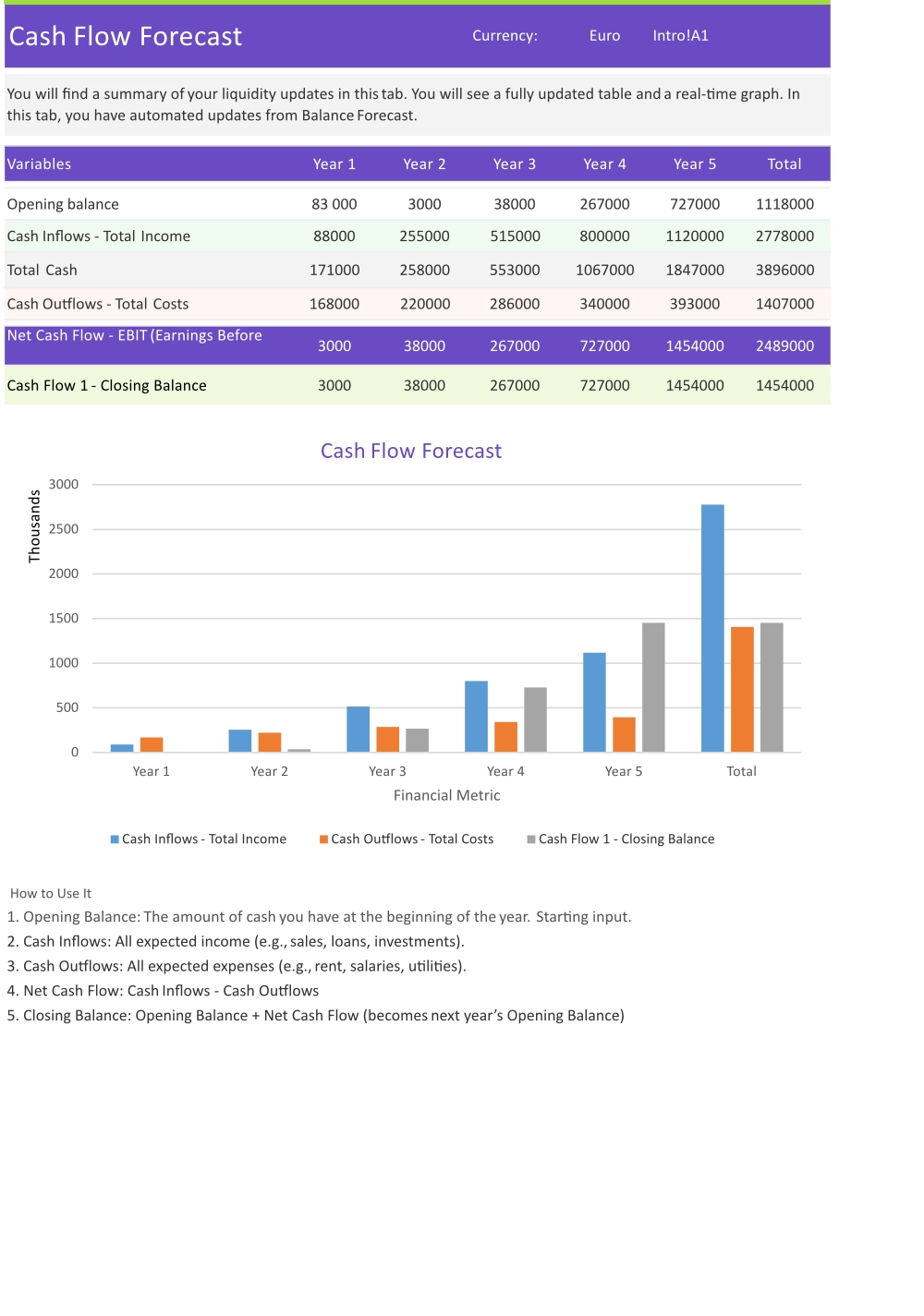
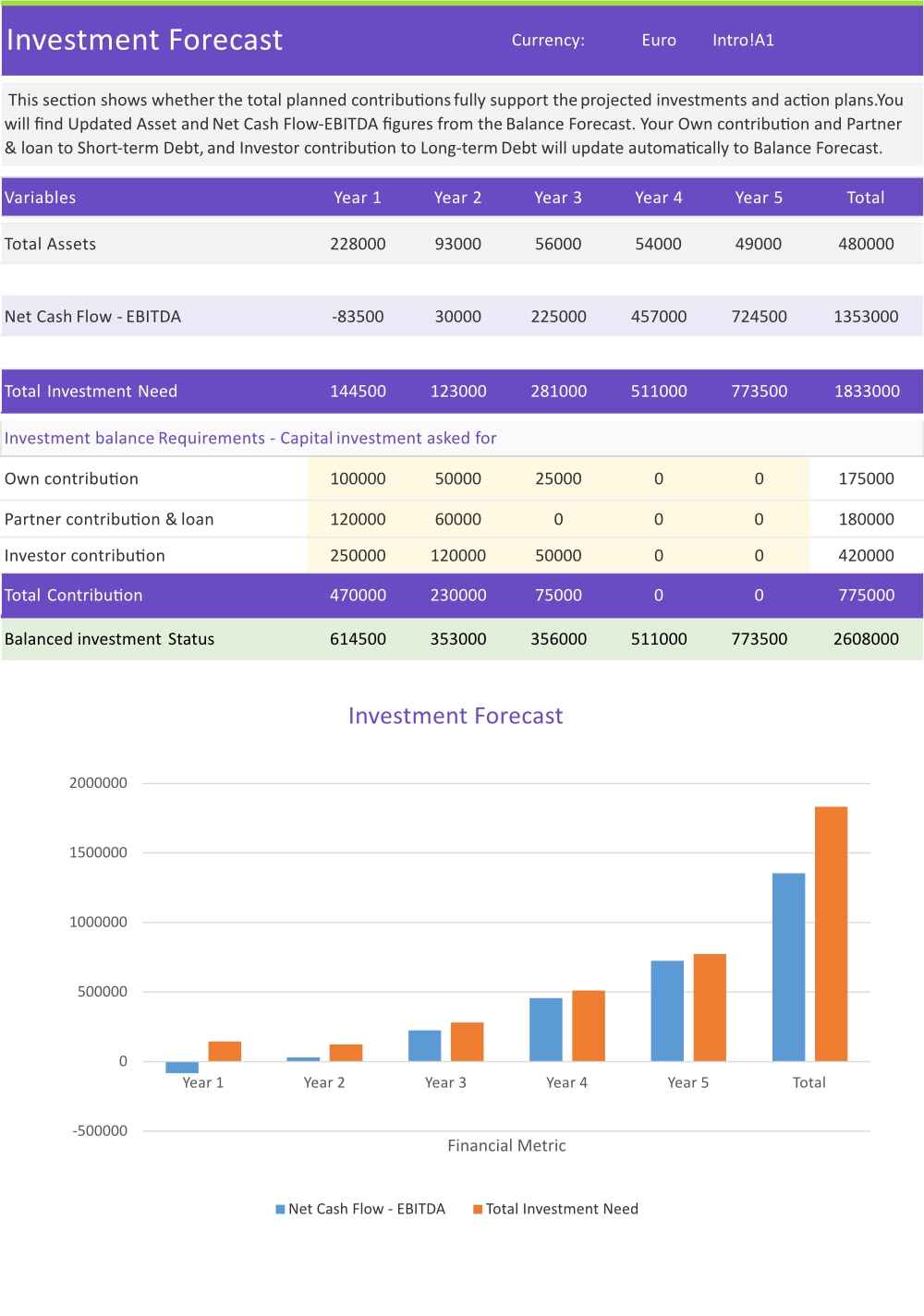
INVESTMENT - Model your funding round
The Investment sheet is where you structure a funding round — how much you're raising, at what valuation, and what share of the company an investor receives in return.
The key rule:
Assets always equal Liabilities + Equity. If these don't balance, check your inputs in the earlier sheets.
Three sections:
The number to watch:
You can model multiple rounds to show a funding roadmap — seed, Series A, and beyond.
Tip: This sheet is optional if you're bootstrapped or not currently raising. But completing it signals to investors that you've thought through the deal structure — and that's always a good sign.